Presale codes & the calendar
Bind codes to Accounts, schedule the drop, hold the vault.
What it's for
Verified-Fan and presale codes arrive per Account — a code only works on the Account that won it — and they land, fifteen at a time, in a spreadsheet you have to get onto fifteen Sessions without one crossing wires. The calendar holds each drop with its codes beside it, one copy away at the bell; the vault gets a sheet's worth of codes onto the right Accounts without a positional guess. Codes are kept on this device.
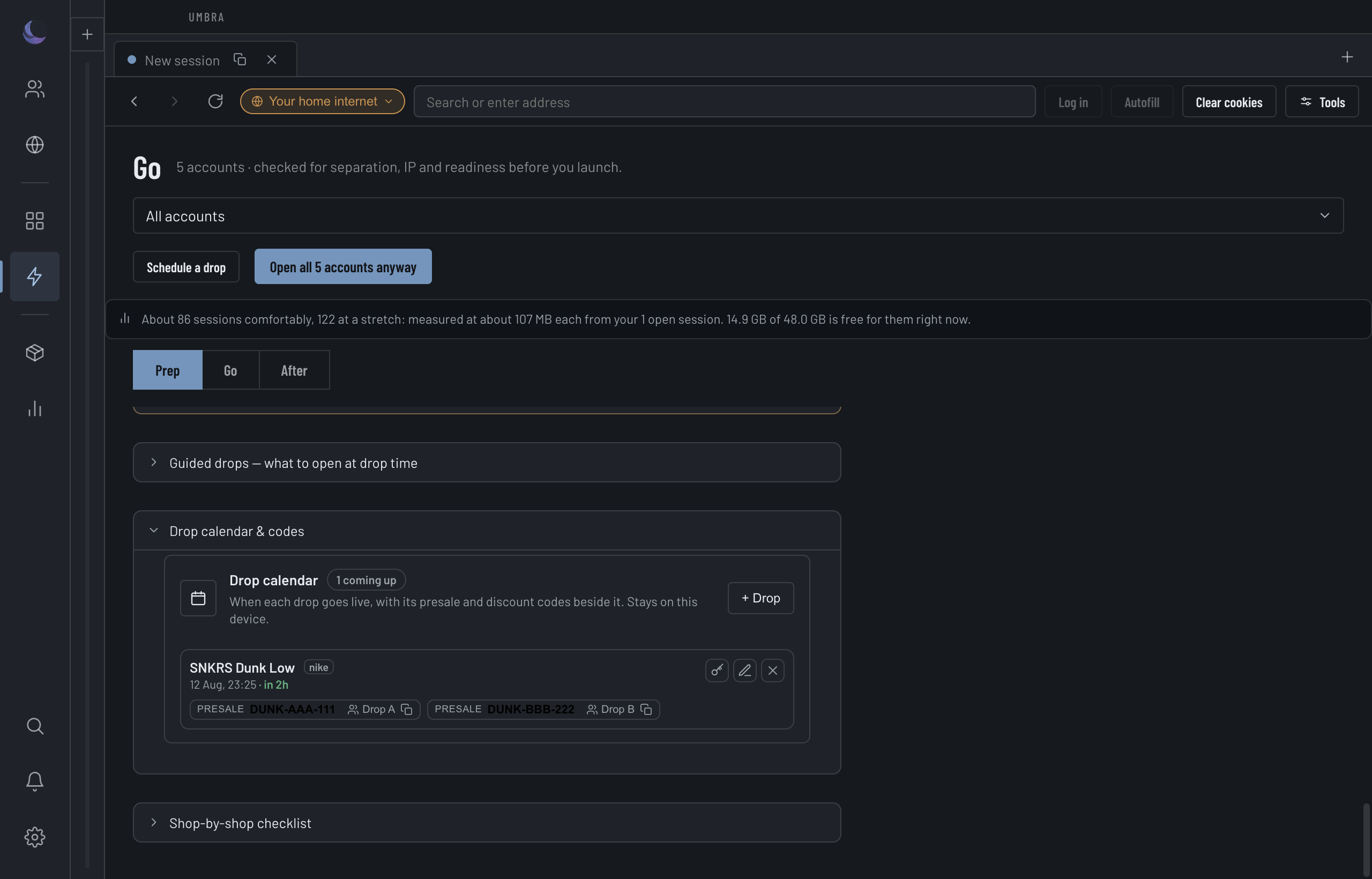
The calendar
Add a drop with its title, when it opens, the retailer, a link and any notes. Upcoming drops sort to the top with a live countdown; past ones fall below. The link copies with one press, and each code sits on the entry as a copyable chip.
Add the drop
Title and a date/time are required; retailer, link and notes are optional. The link must be anhttp(s) address.Attach its codes
Add each code with a label, its value, and — the field that matters most — which Account won it.Copy at the bell, or fill safely
A chip copies the code to the clipboard. Better: press the presale-code key on that Account's Session to fill it there, where it can never land in another Account's window.Codes belong to an Account
A presale code is bound to the Account that won it, and the calendar treats an unbound code as a problem, not a convenience.
The clipboard is the hazard: copying is how a code ends up in the wrong window. Filling from the Session's own presale-code key never fills any other Account's code, which is why the tooltip nudges you there.
The presale vault
The vault takes a whole sheet at once. Paste one row per Account — the Account's name or login email, then a tab or comma, then the code — and it plans the import against your real Accounts before writing a thing.
Paste from your sheet
One row per Account: name or email, a separator, the code.Check it against your Accounts
The vault matches each row to an Account by name or email and shows you the plan — what it will assign, what it will replace, and what it cannot place.Read the plan, then save
Nothing is written until you've seen it. If any row is an error, saving stays blocked until you fix it.What the vault refuses
The vault follows the strict-import rule: every row and every Account is reported exactly once, "nothing matched" is a reported outcome rather than a silent success, and anything ambiguous is refused rather than guessed. A wrong code is spent for good, so a guess is never worth it.
Marking a code used, and deleting a drop
Umbra marks a code used when a page confirms it took the value. If the site rejected it anyway, clear the mark with Not used. Because presale codes usually can't be reissued, deleting a drop that still carries codes asks first and tells you how many go with it.