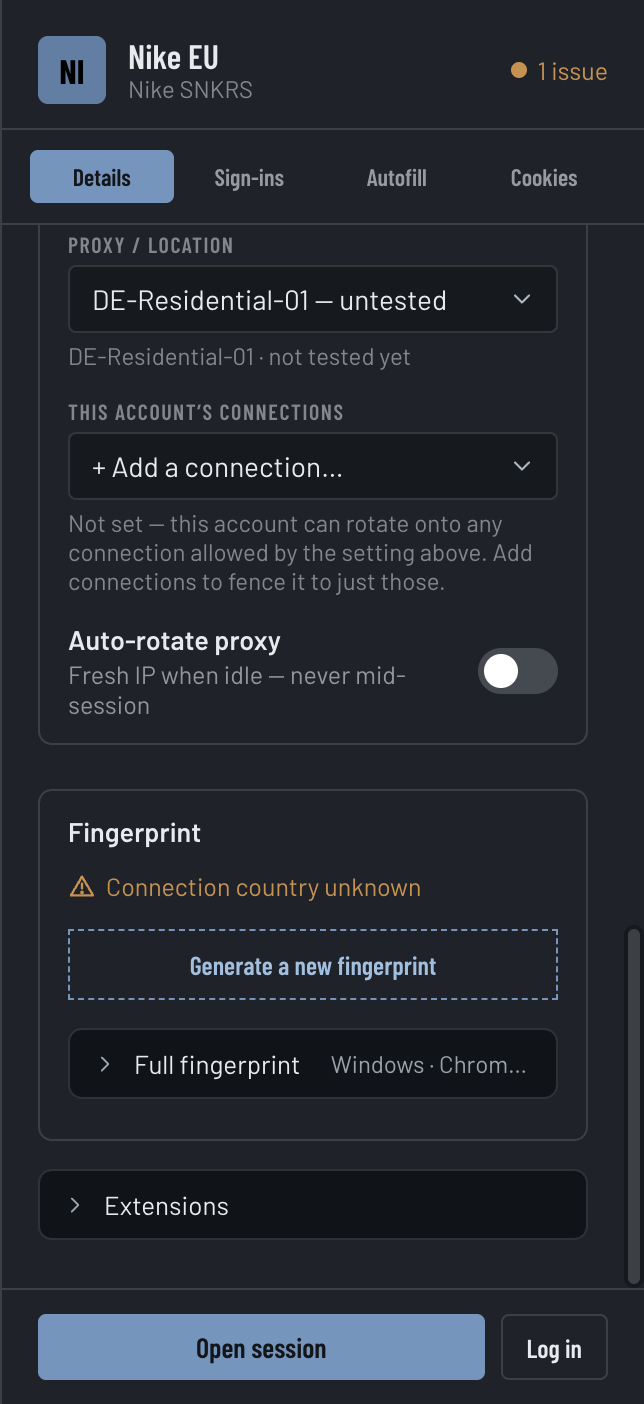
A Fingerprint is the device signature an Account shows to a website — the operating system, browser version, screen, time zone, language, graphics card and more, assembled to look like one real, ordinary machine. Every Account carries its own, generated once and stable, so two Accounts never look like the same device.
Open an Account's inspector and the Fingerprint card gives you a plain-language view of what sites see, plus two verdicts: whether the signature is internally coherent, and whether its location matches the exit.
One Account's Fingerprint — the signature, its coherence, and whether it matches the exit.shot-inspector · Fingerprint card: macOS · Chrome 128, London, coherent, aligned to a UK exit
What the signature carries
Device
Operating system and Chrome version, e.g. macOS · Chrome 128. Always presented on the actual running engine's version, so a saved Account never claims a Chrome the engine contradicts.
Location & time zone
The city and time-zone the Account appears to be in.
Language
The language list a site reads from the browser.
Screen
Resolution — and the window's size and place on that screen, worked out from the Account's screen rather than read from your real one.
Hardware
CPU cores and device memory.
Graphics
The WebGL renderer string a site reads off the GPU, and the WebGPU adapter's vendor and family, which agree with it.
Fonts & devices
Which fonts the device claims to have — the set a site can detect — and the mic / speaker / camera counts.
Keyboard layout
The key map a site reads from navigator.keyboard follows the Account's language — the layout people there type on: British, German, Swiss, French, Canadian French, Spanish, Latin American, Italian, Portuguese, Brazilian, Swedish, Danish or Norwegian. Any other language reads as US, which is right for most (Dutch, Polish, Korean) and a known gap for Japanese, whose JIS keyboard is not modelled. A phone Account has no keyboard map at all, just as Chrome for Android has none.
Display & accessibility settings
The colour range of the screen (wide-colour on a Mac Account, standard on Windows and phones), light or dark mode (set per Account, so every page in its Session — the new-tab page too — follows the Account, not Umbra's theme), and reduced motion, high contrast, reduced transparency and forced colours, which read as a stock install's defaults whatever your computer has set. HDR, monochrome and inverted colours are the exception: the browser engine offers no way to set them, so those answer with your real display.
Web Share
navigator.share and canShare are present, as in Chrome on every platform an Account claims; a call to share fails the way Chrome's does when the share sheet is dismissed or nothing was clicked.
Do the signals agree?
A Fingerprint is only convincing if its parts are consistent — a macOS user-agent over a Windows graphics string is a tell. Umbra audits the signature against itself and reports Coherent, or names each setting that looks off.
Where the signature reaches
A page is not one place. It embeds frames from other sites — the bot checks (hCaptcha, Turnstile and their kind) run inside exactly such a frame — and it starts background workers. Each is its own world, and each reads the Account, not your computer.
What a site can draw
Two of the strongest signals a site reads are not settings at all. It asks the browser to draw some text into a hidden canvas and to render a short sound, then hashes the result. On a real machine that hash is the same for every browser on the same hardware — so two Accounts on one computer would match, and match again next week. Umbra gives every Account its own answer, and does it the way real hardware differs:
Only the edges move
The variation lives on the anti-aliased edges of text and shapes, where graphics drivers genuinely disagree. A plain fill or a blank canvas reads back exactly as drawn, and so does a canvas the page drew only with solid rectangles or pixels it placed itself — every real Chrome gives the same answer there, which is precisely what a site tests to catch a browser that is adding noise.
Every read agrees
However the page reads the picture back — a corner of it, the whole of it, an exported image, a WebGL read — it gets the same pixels, and writing them back and reading again changes nothing.
Silence stays silent
Rendered audio is scaled by a hair, never shifted: a silent buffer is still all zeros, and a signal never grows past its original volume. Sound the page wrote into a buffer itself is left exactly as written.
Workers included
A page can ask a background worker to draw instead, and compare. The worker runs the same code as the page, so it gives the same answer.
Which fonts a site can find
The other draw-based signal is the font list. A site does not ask which fonts are installed — it renders a line of text in each candidate family and measures the width; a font that is really there measures differently from the fallback. That works on the page itself, not only on a canvas, and it finds whatever the computer has: a Windows Account on a Mac would list Helvetica Neue, Menlo and Avenir, which no Windows machine has, and every Account on that Mac would list the same set. So Umbra makes the families an Account does not claim measure exactly like the fallback — on the page, in canvas, and in the font-loading API — while the families it does claim, and the computer really has, still show as installed.
Matching the exit
The most common tell isn't the Fingerprint alone — it's a London device arriving on a New York exit. So Umbra copies the exit's region onto the Account: same time zone, same rough location.
Generate a new Fingerprint
Roll a fresh signature with Generate a new fingerprint — the rows that changed flash so you can see what moved, and the card pops open to show them. Happy with one? Save as template to mint future Accounts from it. A whole selection can be re-rolled at once from the Accounts bulk bar.