Snippets
Reusable text typed into the field in front of you.
What it's for
A snippet is a bit of text you reuse — a gift code, an email address, a shipping line — saved once and pasted into any field in a click. It's the fast way to get the same value into the right box across many Accounts without retyping it and without fishing it out of a notes app. A snippet is inert text: nothing runs one, and only you paste it.
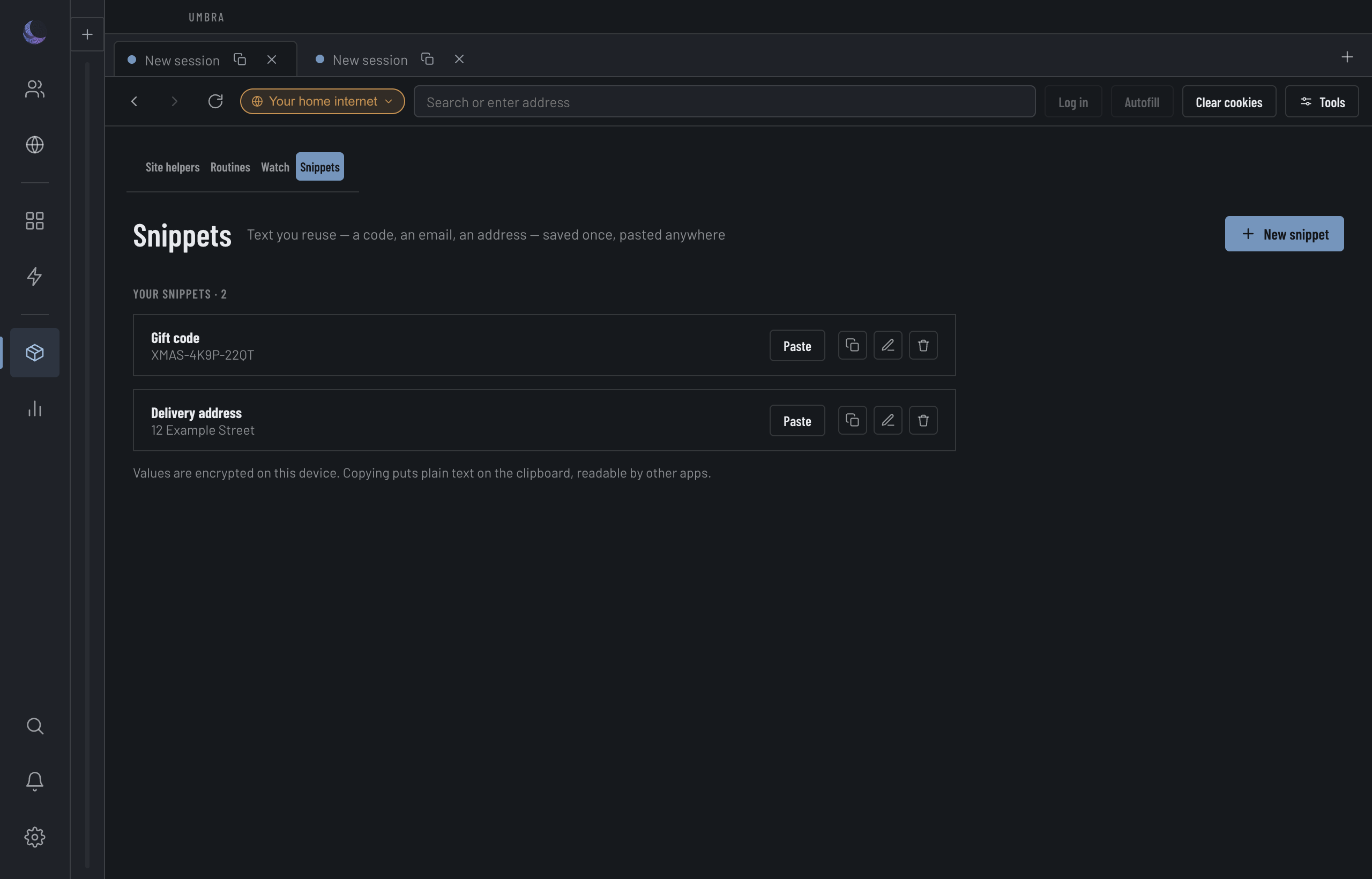
Save a snippet
Press New snippet, give it a Label (what you'll recognise it by) and the Text to paste, and save. It lands in the table with its value set in type you can check character by character, and the date you added it. The search box above the table filters on both the label and the value; the footer counts what a filter is showing ("2 of 12 snippets"), so a missing row is a narrowed filter, not a lost snippet.
Paste vs. Copy
There are two ways to get a snippet out, and they're not the same.
Prefer Paste when you can. It moves the value from Umbra into the page without it ever touching the clipboard.
Where your snippets live
Snippet values are sealed on this device with its keystore or your passphrase (obscured where neither is available — Settings' data map says which). That protects them at rest — but the moment you copy one, it leaves that protection.
Deleting a snippet is confirm-gated and names which one is going. A snippet is saved text with no copy anywhere else, so a delete is a real loss, not a tidy-up.