Watch
Monitors across the fleet, armed beside the page.
What it's for
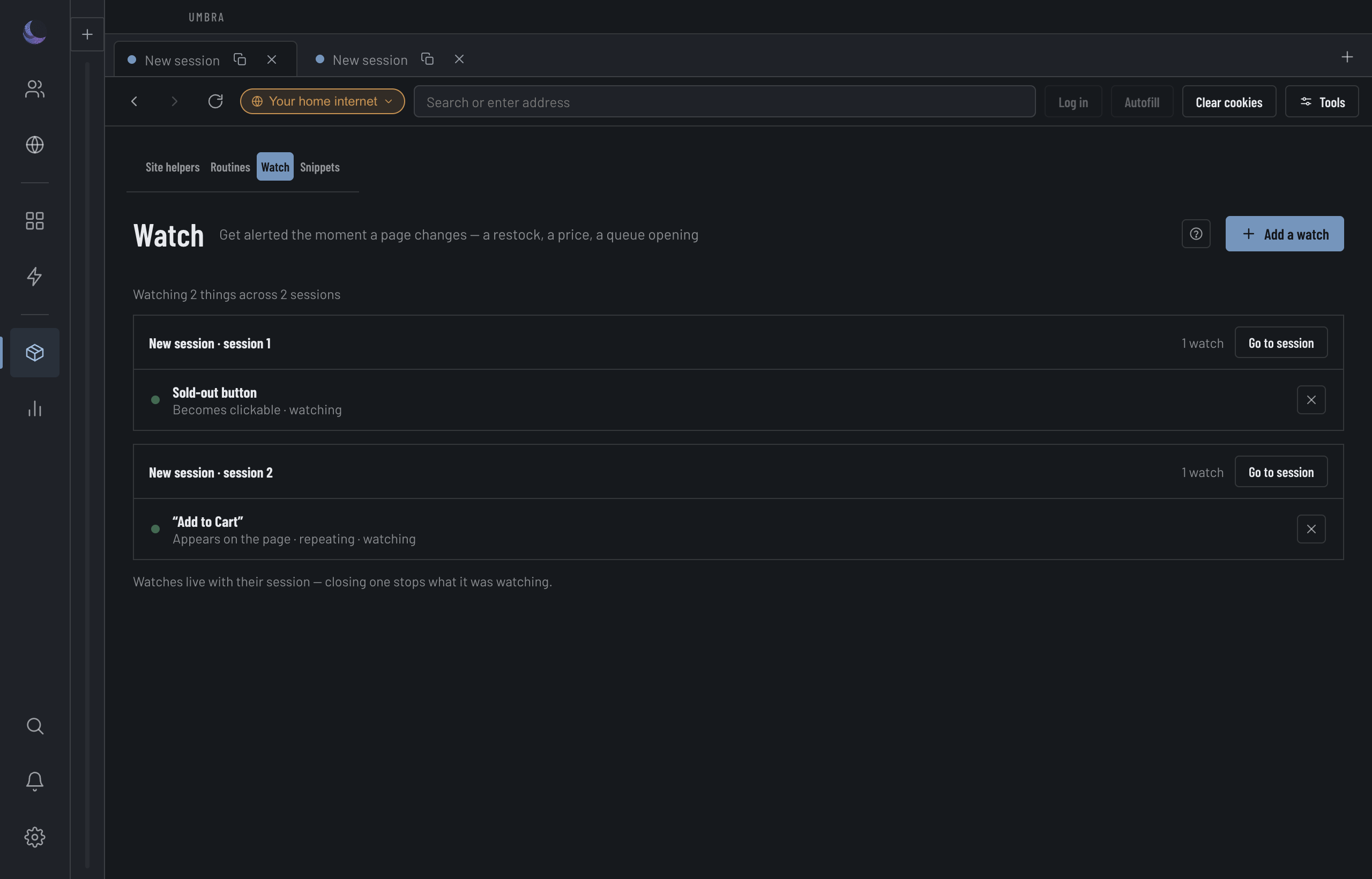
A watch keeps an eye on a live page and alerts you the moment it changes — a sold-out button going clickable, a price moving, a waiting room opening. It tells you; it doesn't act. You arm a watch beside the page you're looking at, and the Watch screen gathers every watch across every Session so you can see the whole fleet at a glance.
Arm a watch
A watch looks at a live page, so it's armed from the session dock — the tools that sit beside the page — not from the Watch screen. Open the Session you want to keep an eye on, open the dock, and pick Watch.
Choose Words or CSS
Words watches the whole page for a phrase ("Add to Cart"). CSS targets one exact element by selector ("button.add-to-cart") — the advanced choice.Pick the condition
Say what counts as the change — see the table below.Name it (optional)
A name is what the row shows; without one it falls back to the phrase or selector.Set repeat and sound
Alert once, or on every change; play a tone, and choose which.Add the watch
It starts watching that Session's page immediately.What counts as a change
The conditions differ by mode, because the same word means two things: a phrase "appears" anywhere on the page, while an element "appears" in the DOM.
The fleet view
The Watch page itself creates nothing — it's the read-across. One row per watch: what is watched and its condition, the Session it lives in, where (the host), where the alert goes (this machine, a webhook, or neither — it says so), and its state. Above the table, chips count what is watching and what has triggered, and filter the table when you click one; beside them, the cadence, stated plainly: checked every 2 s while you are on the page. Each row has Open to jump to that session, and Remove. Two Sessions with the same name are told apart by their seat — their place along the top — so you're never choosing between two identical rows.